 75b94ccad5
Start the reads of a queue consumer when its message is published, so the reads run while the message waits in the serial queue. - step:settled: the step, the execution, the failed-step probe and the successor summaries. The reads start after the settlement commits. - step:ready: the predecessor rows for the step inputs. The claim and the execution status read after the claim stay on the critical path. A consumer that finds no prefetch does the same reads itself. Ordering change: the settled handler can see an execution status that is older by one queue wait. If a cancel lands in that window, one more step can be planned. The ready handler cancels that step after its claim. createSteps still checks for failed steps under the execution lock. Planning reads still run after the settlement of the step commits, so the last predecessor of a successor to settle sees the others settled. No durability change. |
||
|---|---|---|
| .agents | ||
| .claude | ||
| .devcontainer | ||
| .githooks | ||
| .github | ||
| .opencode/skills/setup-mcps | ||
| .vscode | ||
| assets | ||
| docker | ||
| docs | ||
| packages | ||
| patches | ||
| scripts | ||
| security | ||
| .actrc | ||
| .aikido | ||
| .boundaries-baseline.json | ||
| .code-health-baseline.json | ||
| .dockerignore | ||
| .editorconfig | ||
| .env.eval.example | ||
| .env.local.example | ||
| .git-blame-ignore-revs | ||
| .gitattributes | ||
| .gitignore | ||
| .npmignore | ||
| .poutine.yml | ||
| .prettierignore | ||
| .prettierrc.js | ||
| .tbls.postgres.yml | ||
| .tbls.sqlite.yml | ||
| agent-harness.lock.json | ||
| AGENTS.md | ||
| biome.jsonc | ||
| CHANGELOG.md | ||
| CLAUDE.md | ||
| CODE_OF_CONDUCT.md | ||
| codecov.yml | ||
| CONTRIBUTING.md | ||
| CONTRIBUTOR_LICENSE_AGREEMENT.md | ||
| cubic.yaml | ||
| knip.ts | ||
| lefthook.yml | ||
| LICENSE_EE.md | ||
| LICENSE.md | ||
| OWNERS | ||
| package.json | ||
| pnpm-lock.yaml | ||
| pnpm-workspace.yaml | ||
| README.md | ||
| SECURITY.md | ||
| tsconfig.configs.json | ||
| tsconfig.json | ||
| turbo.json | ||
| vitest.workspace.ts | ||

n8n – The Platform for AI Agents and Workflow Automation
Fair-code platform to build and deploy AI agents and workflows. Combine a visual canvas with custom code, run it self-hosted or in the cloud, and connect to 1500+ integrations. AI automation you can trust with real work, from prototype to production.
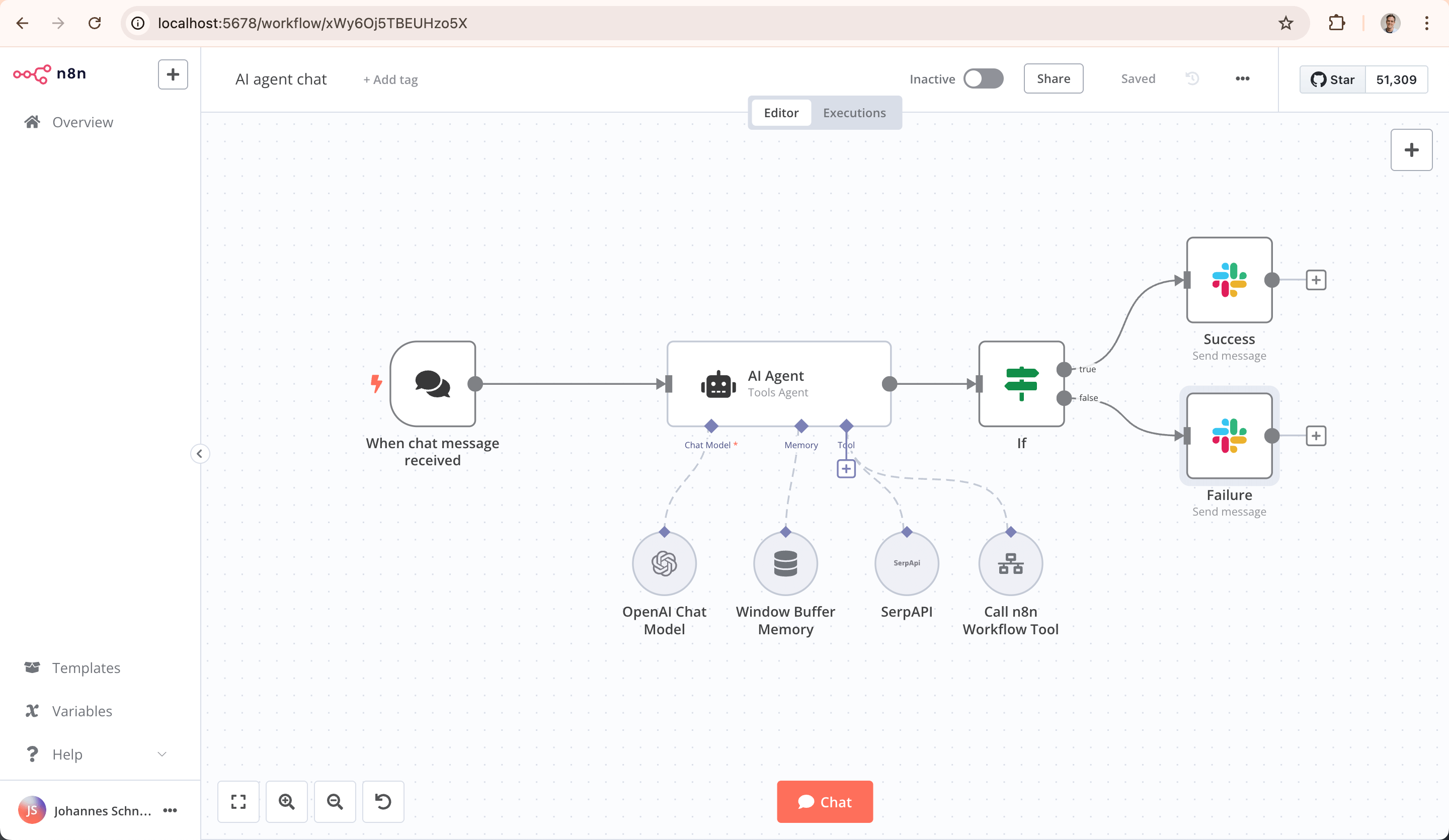
Key Capabilities
- AI-Native Automation Platform: Build and operationalize AI workflows and multi-step agents using your own data, models, and tools
- Model Flexibility, No Lock-In: Connect to OpenAI, Anthropic, Google, or open-source models and switch providers without changing your architecture
- From Prototype to Production: Design multi-step AI workflows with logic, tool use, human approvals, and full observability
- Code When You Need It: Combine visual building with JavaScript, Python, and npm packages for advanced AI workflows
- Enterprise-Ready AI: Self-host or deploy securely with role-based access, audit trails, and support for sensitive data
- Leverage What Already Exists: 1500+ integrations and 9,000+ workflow templates to connect AI with your existing systems
Quick Start
Try n8n instantly with our install script (requires Docker):
curl -fsSL https://get.n8n.io | sh
Or deploy manually with Docker:
docker volume create n8n_data
docker run -it --rm --name n8n -p 5678:5678 -v n8n_data:/home/node/.n8n docker.n8n.io/n8nio/n8n
Access the editor at http://localhost:5678
Resources
- 📚 Documentation
- 🔧 1500+ Integrations
- 💡 Example Workflows
- 🤖 AI & LangChain Guide
- 👥 Community Forum
- 📖 Community Tutorials
Support
Need help? Our community forum is the place to get support and connect with other users: community.n8n.io
License
n8n is fair-code distributed under the Sustainable Use License and n8n Enterprise License.
- Source Available: Always visible source code
- Self-Hostable: Deploy anywhere
- Extensible: Add your own nodes and functionality
Enterprise Licenses available for additional features and support.
Additional information about the license model can be found in the docs.
Contributing
Found a bug 🐛 or have a feature idea ✨? Check our Contributing Guide for a setup guide & best practices.
Join the Team
Want to shape the future of automation? Check out our job posts and join our team!
What does n8n mean?
Short answer: It means "nodemation" and is pronounced as n-eight-n.
Long answer: "I get that question quite often (more often than I expected) so I decided it is probably best to answer it here. While looking for a good name for the project with a free domain I realized very quickly that all the good ones I could think of were already taken. So, in the end, I chose nodemation. 'node-' in the sense that it uses a Node-View and that it uses Node.js and '-mation' for 'automation' which is what the project is supposed to help with. However, I did not like how long the name was and I could not imagine writing something that long every time in the CLI. That is when I then ended up on 'n8n'." - Jan Oberhauser, Founder and CEO, n8n.io