
1.6 KiB
Append Node
Description
Creates a new vector Out by combining the channels of input A followed by the channels of input B. Inputs A and B can have up to three channels.
Out can have two to four channels, depending on the combination of channels of the inputs.
Input A channels take priority over input B to combine up to a maximum of four in the output.
Ports
| Name | Direction | Type | Binding | Description |
|---|---|---|---|---|
| A | Input | Dynamic | None | First input value |
| B | Input | Dynamic | None | Second input value |
| Out | Output | Dynamic | None | Combined vector from A and B |
Example graph usage
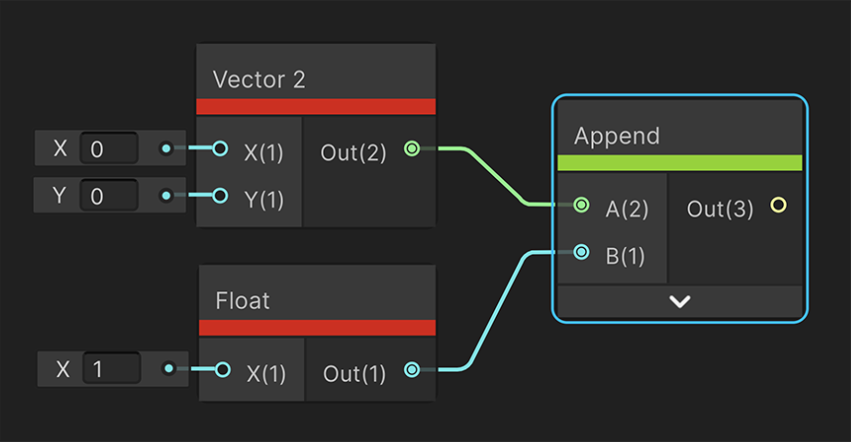
In the following example, an Append node combines a Vector 2 and a Float. The resulting output vector has 3 channels: the X and Y from the Vector 2, and the X from the Float.
Notice that with an Append node, you don't need to use a Split node to break up the Vector 2 into individual channels, then a Combine node to combine the 3 separate channels.
Generated Code Example
The following example code represents one possible outcome of this node for different inputs combinations.
Vector2 and Float
float3 Append_Out = float3( A.xy, B.x);
Float and Vector3
float4 Append_Out = float4( A.x, B.xyz);
Vector3 and Vector2
float4 Append_Out = float4( A.xyz, B.x);